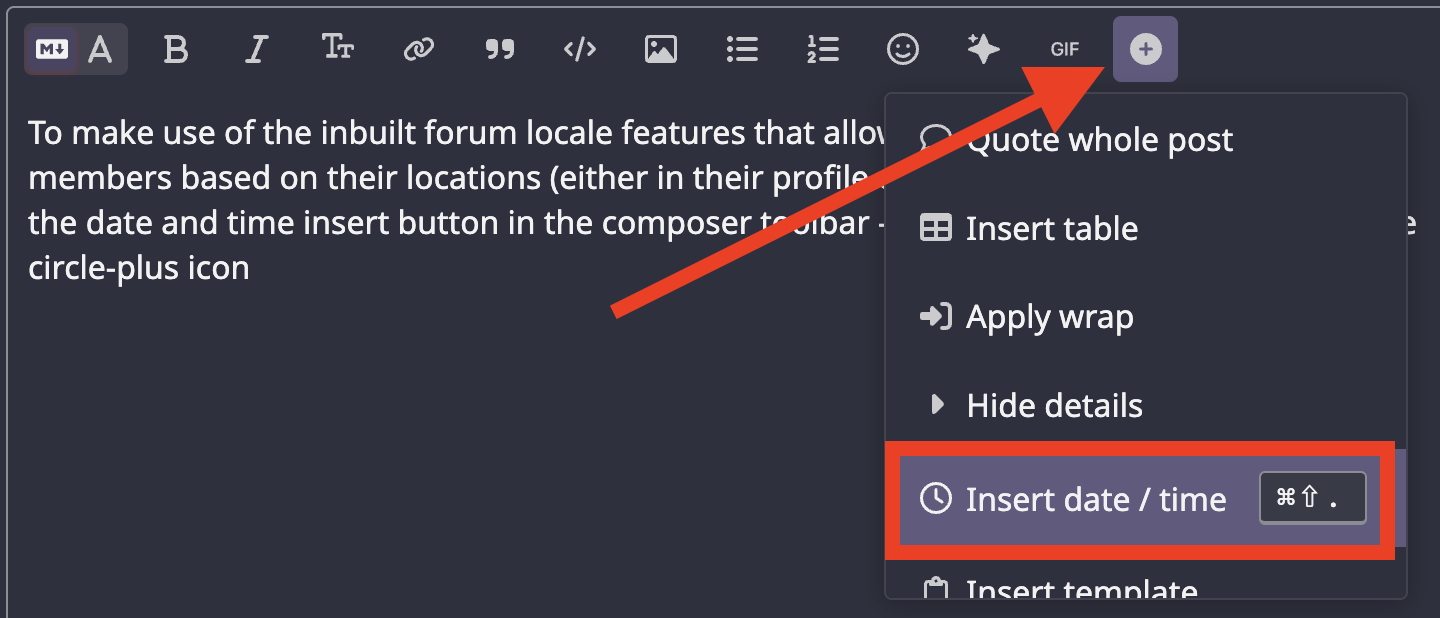
To make use of the inbuilt forum locale features that allow dates and times to be shown to members based on their locations (either in their profile or the browser cookie), you can use the date and time insert button in the composer toolbar.
the button is located by clicking/tapping the circle-plus icon and then selecting insert date / time to bring up the date selection modal
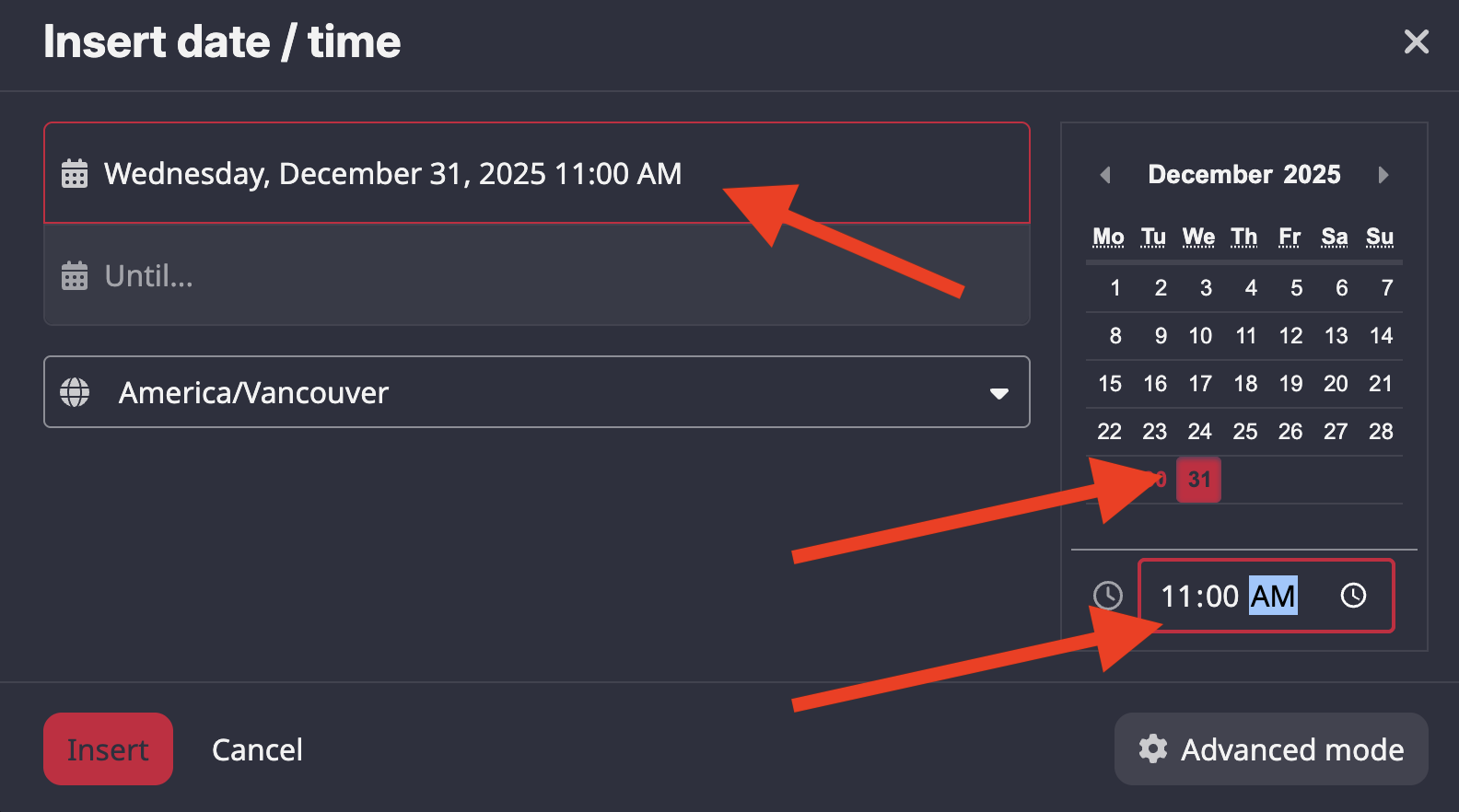
you will get the date selection pop-up modal like this. if you want just one date (not a range), just select the date and enter a time (time is optional) on the left side, then click the insert button.
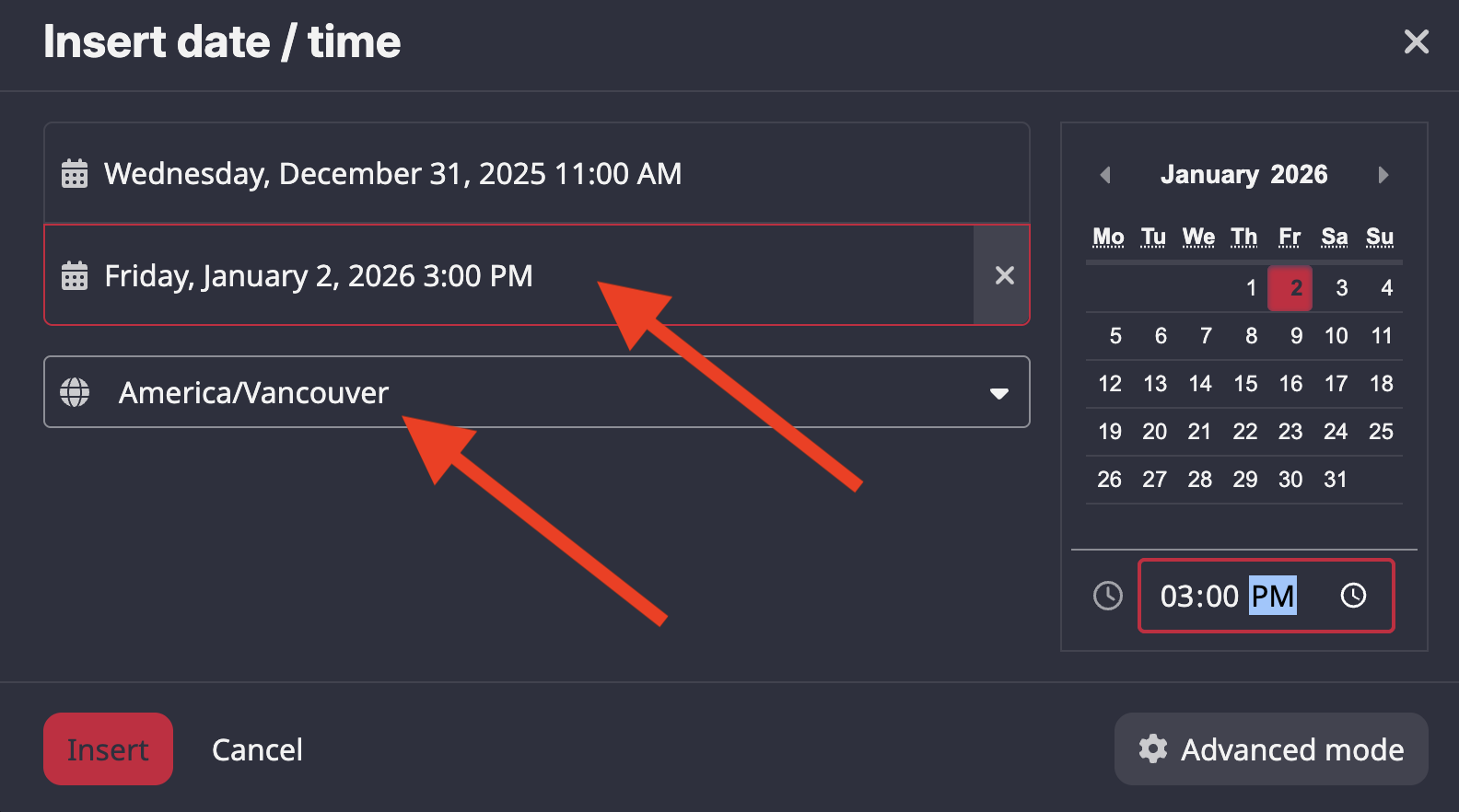
if you want to do a date range, you can also enter a date for the bottom date field (click on it first)
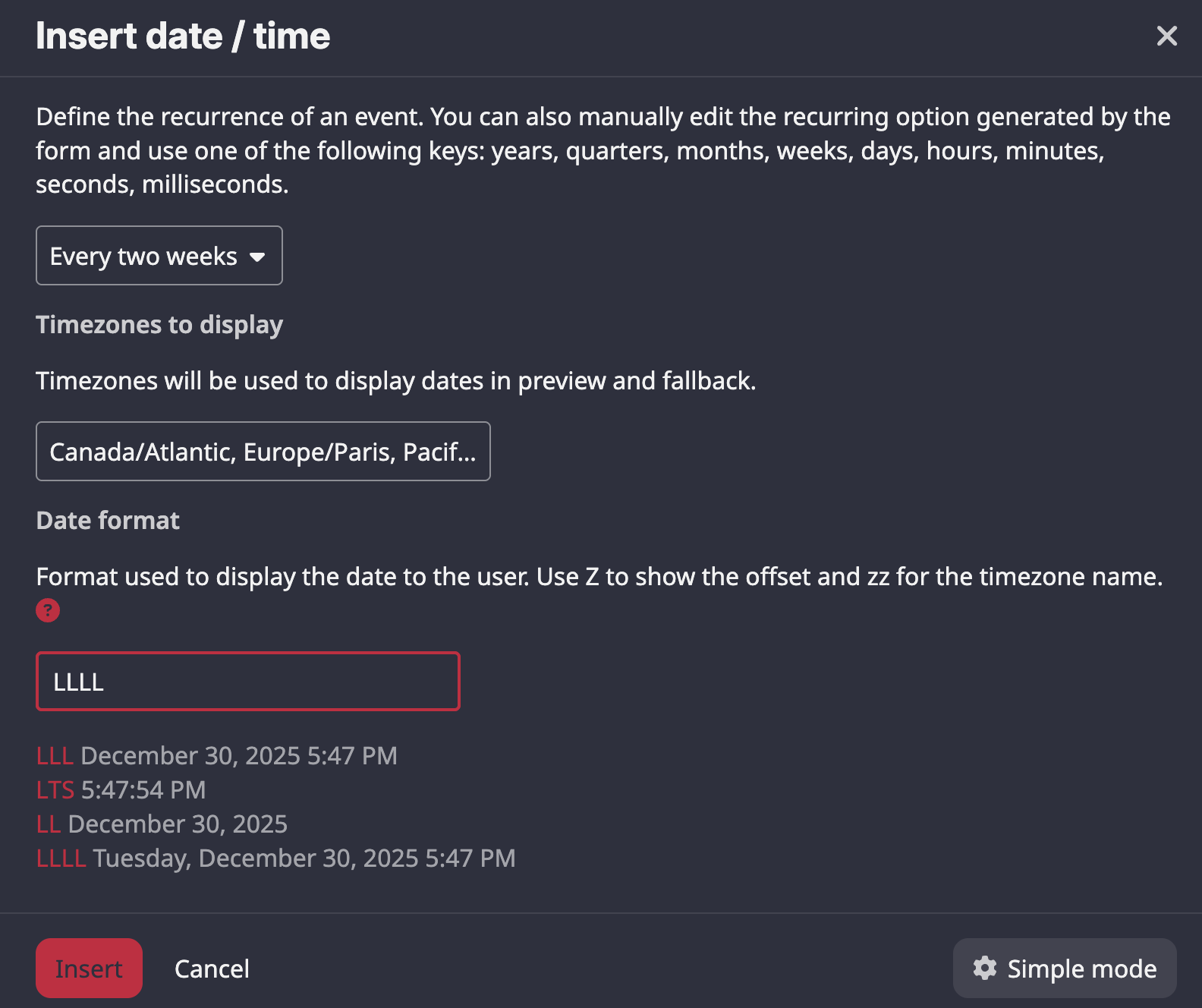
if you hit the advanced button, you will get some more options for recurrence, which timezones to display and in which date format
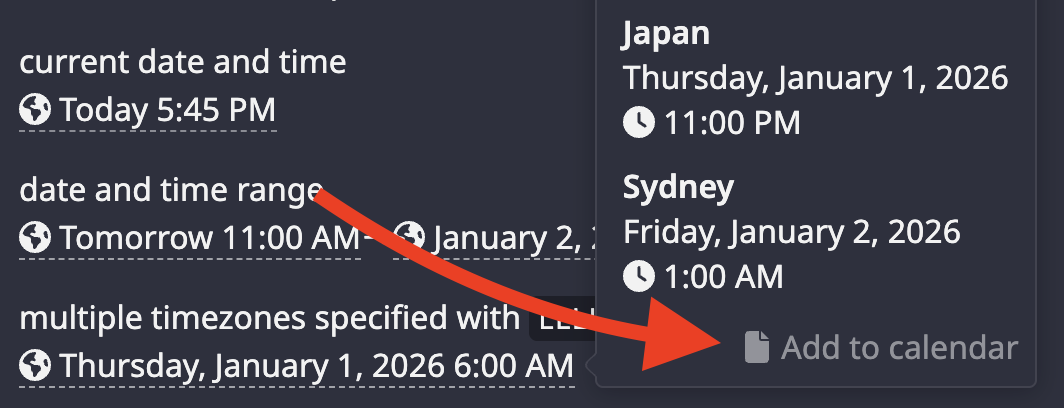
Here are some examples:
current date and time
2025-12-31T01:45:14Z
date and time range
2025-12-31T19:00:00Z→2026-01-02T23:00:00Z
multiple timezones specified with LLLL date format (click/tap on it)
Thursday, January 1, 2026 2:00 PM
times can be imported into various calendar apps by clicking /tapping on the link when viewing the timezones
once you do it a couple times, it seems easier.
feel free to test it in this topic or in a pm to yourself - yes you can send yourself pms as notes (i have a whole notepad in my PMs).